The idea
Most expense apps track where money went. Spendlio helps you understand where it's going.
The problem with most personal finance tools is that they're retrospective — they show you what you already spent. By the time you open the app, the decision is made. Spendlio was conceived around a different idea: give people enough visibility into their financial patterns, planned transactions, and projected balances that they can make better decisions before they spend, not after.
The app is built for people who manage multiple accounts, want to plan income and expenses in advance, and need to understand cash flow at a glance — not just a transaction list. Professionals, freelancers, small business owners, and anyone who wants a smarter grip on their money without connecting their bank account to a third-party service.
How we built it
Every stage owned by TBox — from whiteboard to App Store
Spendlio is the clearest demonstration of how TBox operates as a product team, not just a development team. We ran every phase of the product lifecycle ourselves.
01
Vision & product strategy
Defined the problem space, target user, core differentiators, and business model (freemium with $4.99/mo or $44.99/yr premium). Validated the idea against the market before writing a line of code.
02
UI/UX design & wireframing
Designed every screen from scratch — clean, modern, and sophisticated. Custom UI components including a carousel, rich dashboard layouts, and a visual projection system. No templates, no off-the-shelf design kits.
03
Feature scoping & roadmap
Converted the product vision into a prioritized feature roadmap, breaking it into sprint-ready deliverables with clear value rankings for users. Decided what to ship at launch vs. what to hold for iteration.
04
Engineering & technical architecture
Built natively in Swift with Core Data for a fully offline local database. Implemented StoreKit for in-app purchases, voice input, OCR receipt scanning, push notification infrastructure, and all feature modules. No internet connection required to use the app.
05
App Store launch & ASO
Managed the full submission process — App Store screenshots, metadata, keyword research and ASO, Apple review team communication, and launch coordination. Everything required to get an app discovered and approved.
06
Ongoing iteration based on user behavior
Post-launch, monitoring real usage patterns to validate assumptions, identify friction points, and prioritize the next features. The roadmap is driven by what users actually do, not what we assumed they would.
What we shipped
A genuinely deep feature set at launch — not an MVP
| Feature |
Description |
| Multi-account management |
Track multiple accounts and wallets simultaneously, with per-account cashflow and balance visibility. |
| Full transaction suite |
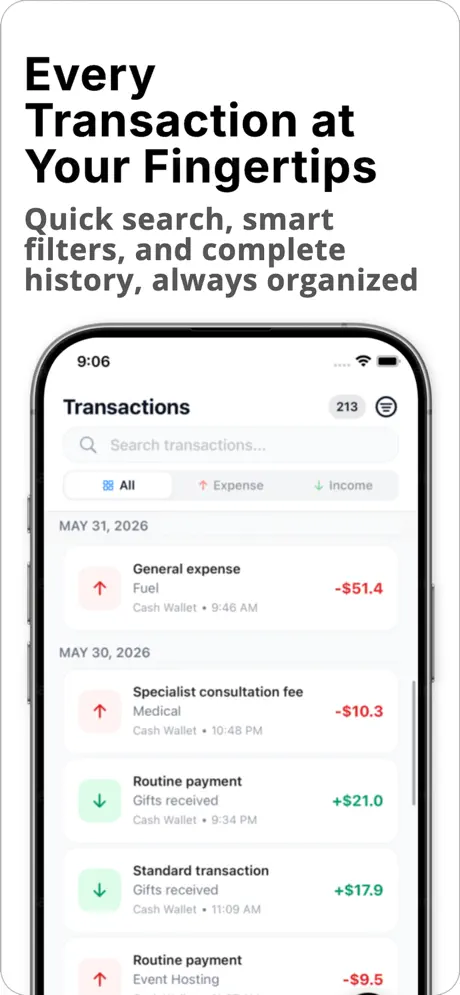
Income, expenses, and account-to-account transfers in one place, with customizable categories, icons, and colors. |
| Planned income & expenses |
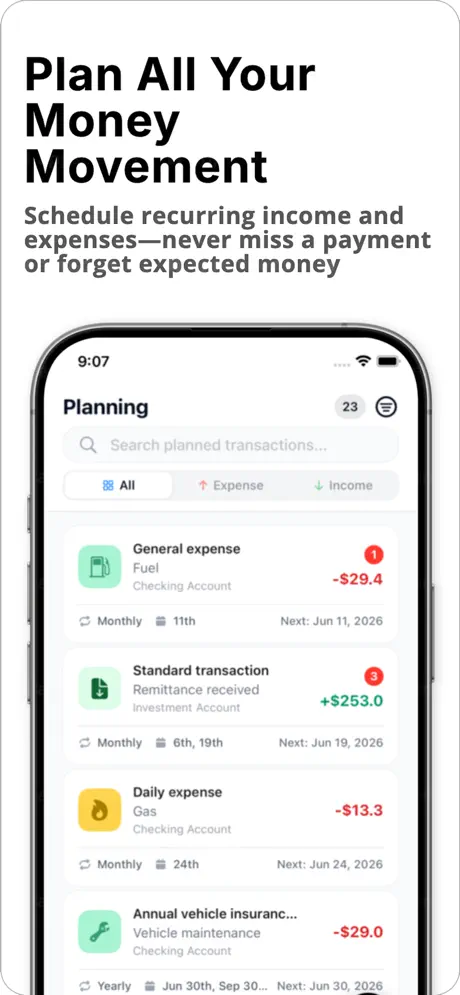
Log transactions in advance, not just after the fact. Budget by intent, not just by history. |
| Rich dashboard |
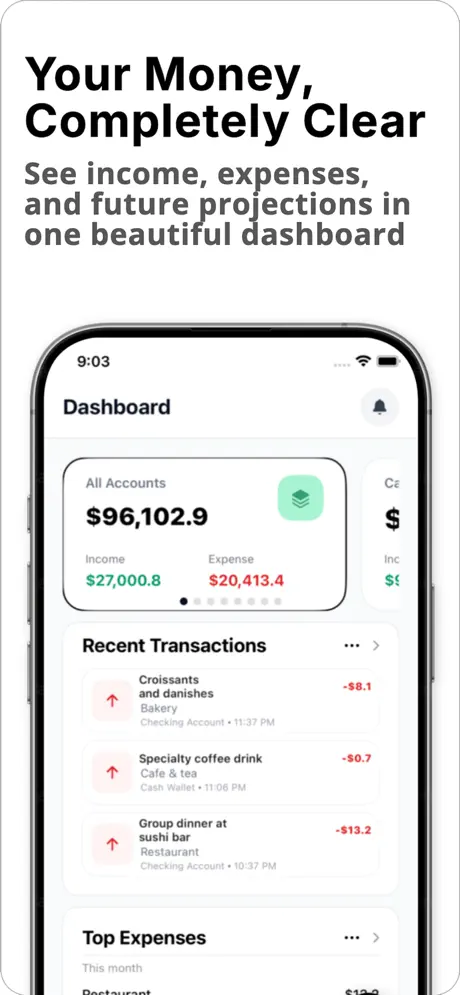
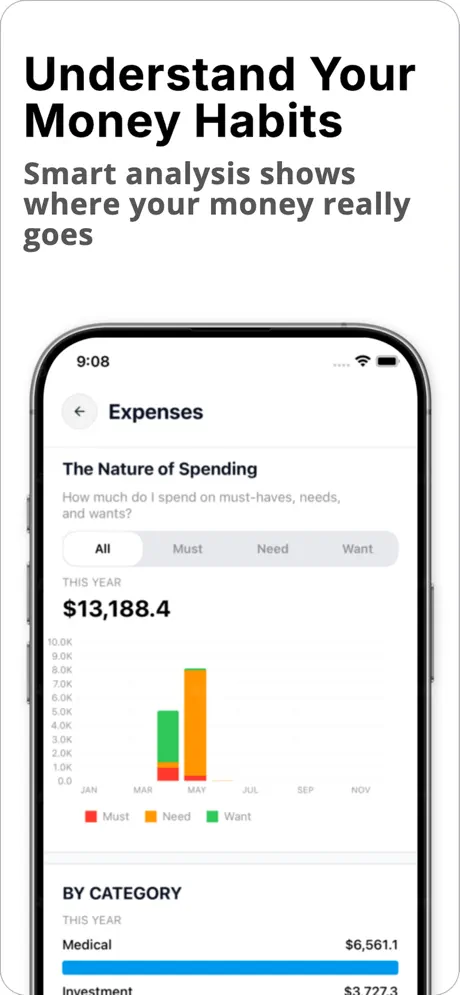
Recent transactions, category breakdowns, spending patterns, and cash flow by month, quarter, and year — all on one screen. |
| Balance projection engine |
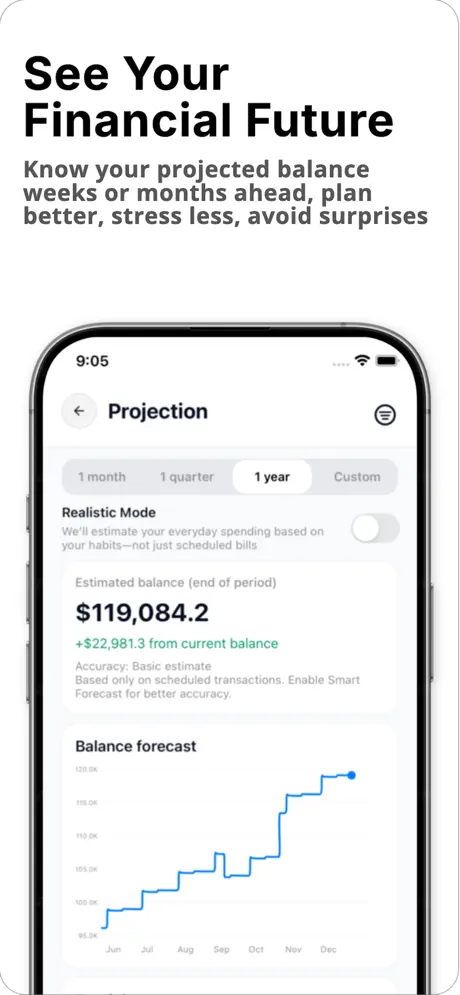
Forecasts account balances one month, one quarter, one year, or multiple years ahead based on planned transactions. |
| Cross-dimensional filters |
Filter any view — transactions, projections, cash flow, expenses — by account, category, and tag simultaneously. |
| Voice input |
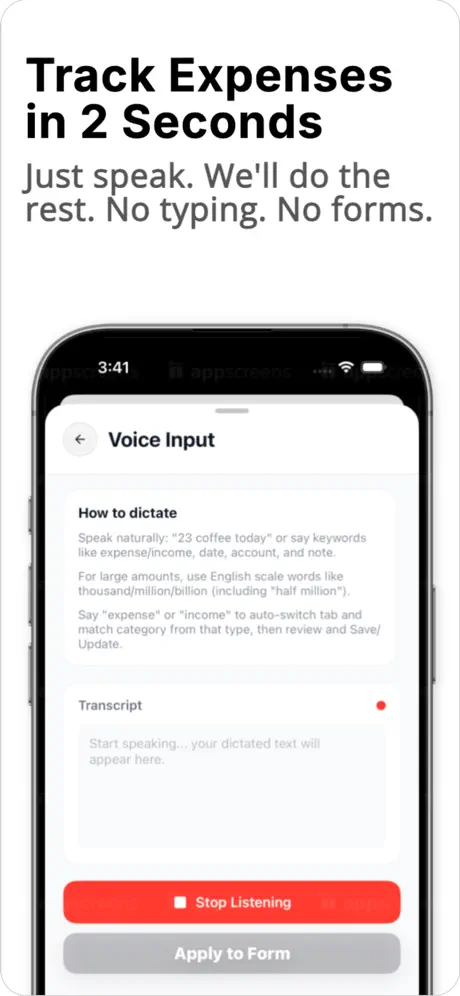
Log transactions by speaking naturally: "spent $45 on groceries." No typing required. Premium feature with 7-day trial. |
| OCR receipt scanning |
Photograph a receipt and have it parsed automatically into a transaction. No manual data entry. |
| Smart reminders |
Push notifications for upcoming planned income and expenses. Configurable per transaction so nothing gets missed. |
| Monthly behavior insights |
Post-month summaries surfacing top spend categories, unusual patterns, and week-over-week changes. |
| CSV import / export |
Bring in existing data or export for external analysis. Full data portability, no lock-in. |
| Security |
PIN and Face ID protection for app access. No data ever leaves the device. |
| 100% offline |
All data stored locally via Core Data. No account required, no backend dependency, no internet needed. |
Why this matters for clients
Every agency says they think like a product team. Spendlio is the proof. We didn't have a client to tell us what to build, a PM to manage the sprints, or a design team to hand us mockups. We started with a blank page — defined the problem, designed the solution, scoped the features, built the product, managed App Store approval, handled ASO, and shipped. Then we stayed, iterating on real user behavior. That's the full product loop. That's what we bring to every client engagement too.
What's next
A product in active evolution — not a shipped-and-done build
Spendlio is in ongoing development, with a roadmap shaped by real user behavior rather than assumptions. The next major milestone is optional backend sync — allowing data to remain mobile-first and fully offline while enabling cloud backup and multi-device access for users who want it.
More advanced AI-driven insights, expanded projection models, and deeper behavioral analysis are on the roadmap. Each release is informed by how existing users actually interact with the app — what they use, what they ignore, and where they drop off.