How We Made Existing Software Operable by AI
A real engineering case study on redesigning an internal platform into an API-first, agent-enabled system — without replacing the software or the team.

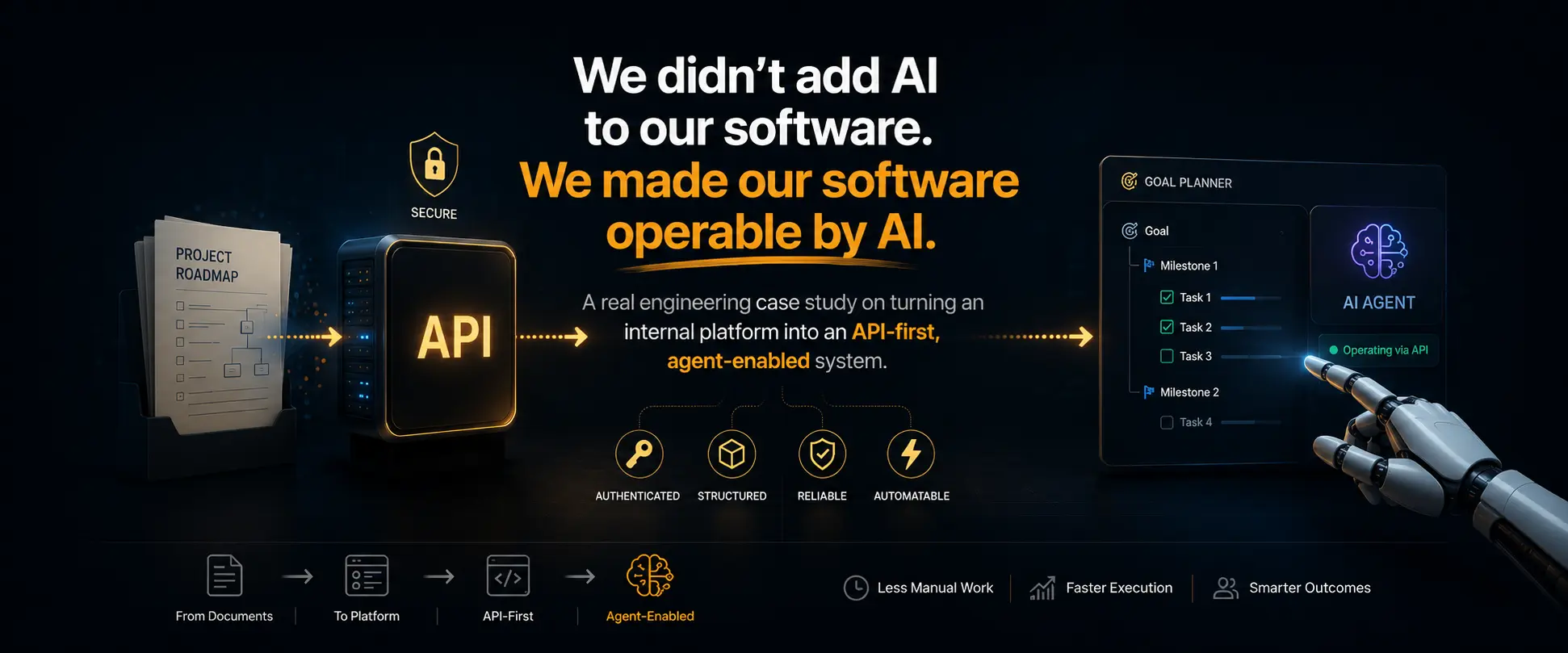
Most companies building with AI are asking the wrong question.
They ask: Which AI features should we add?
The better question is: How do we make our existing software something AI can safely operate?
Those are not the same question. And the architecture that answers the second one looks very different from the architecture that answers the first.
This is a case study on that second question. We had an internal project planning platform. We redesigned it not to contain AI, but to be operable by AI. What follows is a documentation of the decisions we made, the problems we encountered, and the lessons that apply beyond project management software.
We didn't build AI into our software. We redesigned our software so AI could safely operate it. Every decision in this article flows from that distinction.
The Real Problem
Our engineering team had been managing projects using structured HTML documents — plain files that mapped work into a hierarchy: goals, milestones, tasks. Each contained context about what to build, why it existed, and what done looked like.
That worked well enough that we eventually built a proper internal application around the concept. Call it a Goal Planner. It had a real database, a web UI, user accounts, workspaces, and a permission model. The documents became data. The hierarchy became queryable. Progress became visible.
The planner solved the organisation problem. It did not solve the input problem.
Every new project still required a person to sit down and manually recreate inside the planner what already existed in documentation. Read the brief. Create the goal. Break it into milestones. Write tasks. Populate descriptions. Set statuses. Even with a good UI, this was slow and error-prone — the kind of structural, repetitive work that software should not require people to do.
The Architectural Question That Changed Everything
By this point, AI coding assistants had become a regular part of our engineering workflow. These tools could already read documentation, understand project structure, and produce context-aware output.
That raised an uncomfortable question.
"If an AI can already read our roadmap documents and understand their structure — why is a human still manually recreating that structure inside another system?"
We did not have a good answer. The obvious next step would have been to add an "AI import" button to the planner. Connect an LLM. Generate tasks from a document. Ship it in a week.
We chose not to do that. Not because the outcome would have been wrong, but because the architecture would have been. A feature solves a problem once. An architectural decision shapes every problem that comes after it.
Evolution of the Platform
The decision we made was to redesign the platform around a different assumption: that AI agents would be first-class clients of its API — and that the architecture should support that from the beginning, not as an afterthought.
API-First Architecture
The first change was disciplined. Before touching internal implementation, we defined a clean external API surface. Not database operations. Business capabilities.
- Create Goal — establish a planning objective in a workspace
- Create Milestone — define a phase of work within a goal
- Create Task — add a work item with context, priority, and status
- Update Task — modify any task field: status, due date, description
- Complete Task — close out a task, triggering downstream workflows
- Retrieve Planning Context — return the current state of a goal or milestone
Each endpoint: structured JSON in, structured JSON out. Authentication via API key. No UI state, no sessions, no client-specific assumptions.
POST /api/v1/ext/tasks
X-Api-Key: sk_...
Content-Type: application/json

{
  "workspace_id": "...",
  "goal_id": "...",
  "milestone_id": "...",
  "title": "[GR-02] Google Search Console — add property + submit sitemap",
  "status": "todo",
  "priority": "high",
  "tags": ["general"],
  "task_type": "checklist"
}API endpoints should expose business capabilities, not database rows. Complete Task is a business capability with downstream consequences. PATCH /tasks/:id {"status": "done"} is a database update with a REST wrapper. That distinction becomes critical once AI agents are making those calls unsupervised.
Documentation was written for a human engineer first — accurate, self-contained, with authentication details and worked examples. That same documentation was later passed to an AI agent. Good API documentation is good API documentation, regardless of who reads it.
Making Software Operable by AI
With the API documented, we gave an AI agent the documentation, an API key, and a task: read the existing HTML roadmap, understand the project structure, and populate the planner.
It worked on the first attempt.
The agent parsed the HTML files, identified the goal-milestone-task hierarchy, mapped statuses, formatted descriptions, and called the API endpoints in the correct sequence. It handled ordering and status mapping without explicit instruction — inferring those details from the documentation and the source material.
110 tasks. 7 milestones. Zero manual input.
What made this work was not the AI's capability in isolation. It was the fact that the platform had a clean API surface that expressed real business concepts. The agent had something meaningful to call. The business logic lived in the platform, not in a prompt.
An agent is only as capable as the API beneath it. Investing in clean, well-documented external APIs is agent interface design. The two disciplines have converged.
Permissions, Governance, and Security
Once AI can operate your software, the permission model becomes the most important part of your architecture.
This is where many teams make a mistake. They treat AI access as a special case — a separate integration with its own credential system, its own rules, its own bypass logic. That approach creates two systems to maintain and two failure modes to audit.
We made the opposite decision. The AI follows exactly the same authorization model as every human user.
An API key issued for an AI agent carries exactly the same scope as an API key issued for a human developer. If the key is scoped to workspace A, the agent cannot read or write workspace B — regardless of what the agent is asked to do. It cannot skip validation. It cannot access goals it was not invited to. It cannot complete tasks in milestones it cannot see.
The permission system does not have an AI exception. There is no override path.
Why this matters more, not less, once AI is involved
Human users can be caught by a UI constraint. They click on a button that isn't there. They see a permission error. They escalate to an admin. The feedback loop is slow, but it exists.
Agents do not have that feedback loop. If the permission model has gaps, an agent will find them — not out of intent, but because agents operate exhaustively. They don't get tired. They don't skip steps. They will attempt every operation the documentation implies is possible.
A well-designed permission model is not a security feature added after the fact. It is the architecture that makes AI-operable software trustworthy.
AI agents should never have access that a human cannot be granted. If a permission level doesn't exist for humans, it should not exist for agents. The permission model is the contract — not the prompt, not the system message.
Business Logic Stays in the Platform
Every AI operation on the platform participates in the complete business workflow. When an agent creates a task, it does not write a row to a database. It triggers a sequence.
Notifications fire. Realtime events push to connected clients. Emails dispatch. The audit log records every field, every actor, every timestamp. Dashboard counters update. This is not because AI gets special treatment — it is because the API enforces the same business workflow for every caller.
This is what makes AI a first-class participant rather than a script calling a database. The platform's business rules are not in a prompt. They are not in the agent. They are enforced by the API itself, for every request, from every client.
Embedding business rules in prompts makes them invisible to your test suite, sensitive to model drift, and impossible to audit. If a rule matters, it belongs in your platform — not your system message.
What AI Taught Us About Our API
One of the most valuable outcomes of this project was not the automation. It was what the AI revealed about the quality of the platform itself.
Agents do not politely work around missing functionality. They surface it immediately and precisely.
Missing required fields
The agent attempted to create tasks without a task_type field. Our API accepted the request silently and created tasks in an inconsistent state — visible in the UI, but broken under certain conditions. A human user had always set the field through a dropdown. The agent, reading only the documentation, correctly ignored a field that was required but not documented as required.
Notification gaps
When the agent bulk-created tasks via API, no workspace notifications fired for the other collaborators. The notification system had been built assuming task creation always came through the UI. The API path bypassed it. The agent exposed a gap that existed for months without anyone noticing — because humans don't create 110 tasks in 90 seconds.
Missing socket events
Related: realtime dashboard updates did not trigger for API-created resources. Collaborators watching the dashboard saw a stale view. Same root cause — realtime events were wired to UI actions, not to the API layer. Correct architecture emits events from business logic, not from UI event handlers.
Endpoint inconsistencies
The agent noticed that milestone updates returned a different response shape than task updates. Both operations had been written at different times by different engineers. A human using the UI never saw the raw JSON. The agent used both endpoints in the same session and immediately flagged the inconsistency in its output.
Give an AI agent access to your API before the API is finished. The gaps it exposes — missing fields, inconsistent responses, broken side effects — are not AI failures. They are a precise engineering feedback report. It is one of the most efficient API quality tests available.
Every one of these was a real bug. Each was fixed. The platform became more correct because an AI agent used it exhaustively and reported exactly what did not work.
Model-Agnostic Architecture
The platform's external API does not import any AI SDK. No Anthropic client. No OpenAI SDK. No model-specific prompt templates.
The in-app assistant — the voice and text interface that lets users interact with the planner conversationally — is configurable. Users can connect Claude, GPT, Gemini, or any model they prefer. The platform does not care which one.
This is a deliberate design principle: models are interchangeable. Business logic is not.
When a better model is available, switching to it is a configuration change. When business rules change, those changes are enforced in one place — the platform — for every client, every model, every surface simultaneously.
Coupling your platform to a specific LLM is betting that the current best model stays the best model. That is rarely a safe bet. The model should be a dependency. It should not be an identity.
Why This Pattern Applies Beyond Project Management
The Goal Planner is proof of concept. The architecture is the actual lesson.
Every principle in this article applies identically to:
- CRM platforms — AI that updates contact records, logs calls, drafts follow-ups, under the same permission model as sales reps
- ERP systems — AI that processes purchase orders, validates inventory, updates financials — through the same approval workflows that humans use
- Healthcare platforms — AI that schedules appointments, flags clinical gaps, coordinates referrals — with the same compliance controls that govern staff access
- Construction management tools — AI that tracks progress, flags delays, updates suppliers — within the same project hierarchy as site managers
- Customer portals — AI that handles requests, updates status, escalates tickets — following the same service rules as support agents
The pattern is the same in every case. The business logic stays in the platform. The permission model governs everything. The model is an interchangeable client. AI becomes a participant in the existing workflow rather than a separate system layered on top of it.
If your software already has a well-designed API and a solid permission model, you are closer to AI-operable than you think. The architecture does not require rebuilding from scratch — it requires exposing what already exists correctly.
Principles We Refused to Compromise
AI never bypasses permissions. The agent operates within the same access model as every human. No exceptions, no override paths.
APIs are the platform contract. The UI is one client. The agent is another. Neither gets special treatment.
Business logic lives in the platform. Anything enforced in a prompt is a rule that cannot be tested, versioned, or audited.
Every AI action is auditable. The audit log does not distinguish between human and agent — every operation is recorded with the same fidelity.
Models are replaceable. The platform does not depend on any specific LLM. Intelligence is a dependency, not an identity.
Documentation is the agent interface. Vague documentation produces vague behaviour. Precision in writing produces precision in operation.
Key Lessons
What this architecture taught us
- The question is not which AI feature to add. It is how to make your existing software something AI can safely operate.
- API-first design is a prerequisite. If your platform does not have a clean, documented external API, AI cannot use it reliably. Invest there first.
- Permissions become more important, not less. AI agents operate exhaustively. Every gap in your permission model will be found. Design accordingly.
- Business logic belongs in the platform, not in a prompt. Prompts are ephemeral. Platform logic is testable, versionable, and enforced for every client.
- Agents are the best API testers you will ever have. They expose missing fields, broken side effects, and inconsistent responses that human users never encounter.
- Model-agnostic architecture preserves optionality. Coupling to a specific model is a short-term convenience with a long-term maintenance cost.
- The same workflow governs human and AI actions. When AI participates in real business logic — permissions, notifications, audit logs, realtime events — it becomes a first-class participant, not a script.
Conclusion
The platform we operate today is not a different system from the one we started with. It is the same system, redesigned around a different assumption about who would use it.
We did not add AI. We made our software AI-operable. The distinction sounds subtle. The architectural consequences are significant.
If you have an existing software platform — a CRM, an ERP, an internal tool, a customer portal — the question is not whether to integrate AI. It is whether your platform is designed for it. Does it have a clean API? Does that API enforce business logic, not just expose data? Does the permission model govern every caller, including agents?
If the answers are yes, you are already closer to this architecture than you think. If some answers are no, those are the foundations to build before the AI integration, not after.
The teams building the most durable AI integrations are not the ones with the best models. They are the ones with the best-designed platforms underneath them.